<?xml version="1.0" encoding="utf-8"?><feed xmlns="http://www.w3.org/2005/Atom" ><generator uri="https://jekyllrb.com/" version="3.10.0">Jekyll</generator><link href="https://harpoonlobotomy.github.io/feed.xml" rel="self" type="application/atom+xml" /><link href="https://harpoonlobotomy.github.io/" rel="alternate" type="text/html" /><updated>2025-10-10T20:31:31+00:00</updated><id>https://harpoonlobotomy.github.io/feed.xml</id><title type="html">harpoonLobotomy // BG3 Materials/Templates</title><subtitle>Technical archaeology of Baldur’s Gate 3 - digging around in files, figuring out how to use them. With a specialisation in recreating materials in Blender, using their original nodegraphs blueprints.</subtitle><author><name>harpoonLobotomy</name></author><entry><title type="html">The Pipeline is Done (almost).</title><link href="https://harpoonlobotomy.github.io/materials/2025/08/30/a-proper-pipeline.html" rel="alternate" type="text/html" title="The Pipeline is Done (almost)." /><published>2025-08-30T00:00:00+00:00</published><updated>2025-08-30T00:00:00+00:00</updated><id>https://harpoonlobotomy.github.io/materials/2025/08/30/a-proper-pipeline</id><content type="html" xml:base="https://harpoonlobotomy.github.io/materials/2025/08/30/a-proper-pipeline.html"><![CDATA[<p>The BG3 matgen/tempgen (Material Generator/Template Generator) is almost entirely complete, now I’m just adding little nice-to-have improvements. With the asset(s) selected, you click a button and the scripts produce the required material, from template layout to image textures and parameter values.</p>

<p>With MatGen running in Blender, clicking the ‘Create Material’ button will trigger the TempGen and Wrapper scripts are needed, without manual intervention to create the JSON needed for TempGen.</p>

<p>Given the extensive setup required for this process (– all texture and VT PAKs unpacked, the extensive database setup) I can’t imagine this system will ever be of use to anyone but myself, but maybe some version of it will be useful to someone some day. I want to make a set of ‘general templates’ that one can simply apply the correct images to, to approximate general materials without needing the full setup, but Volno’s Texture Toolkit exists, so I’m not sure if there’s much point, really. The only thing my system has that his doesn’t is tattoo selection, as he doesn’t have a Flipbook node.</p>

<p>I’ll still make it, though, even if it might be rather pointless. I didn’t really have any reason to put this much time in to the project so far other than ‘I wanted to see if I could’, so why stop now? I’ve learned to code a bit through this project and learned a lot about how BG3 works under the hood, and it’s been really fun. So I think it’s been worthwhile, at least to me.</p>

<p>Hope you’re all doing well out there.</p>

<p>-Harpoon</p>]]></content><author><name>harpoonLobotomy</name></author><category term="materials" /><summary type="html"><![CDATA[The BG3 matgen/tempgen (Material Generator/Template Generator) is almost entirely complete, now I’m just adding little nice-to-have improvements. With the asset(s) selected, you click a button and the scripts produce the required material, from template layout to image textures and parameter values.]]></summary></entry><entry><title type="html">LSMG files - parsed and usable.</title><link href="https://harpoonlobotomy.github.io/materials/2025/07/15/uploaded_template_lsmg_parsers.html" rel="alternate" type="text/html" title="LSMG files - parsed and usable." /><published>2025-07-15T00:00:00+00:00</published><updated>2025-07-15T00:00:00+00:00</updated><id>https://harpoonlobotomy.github.io/materials/2025/07/15/uploaded_template_lsmg_parsers</id><content type="html" xml:base="https://harpoonlobotomy.github.io/materials/2025/07/15/uploaded_template_lsmg_parsers.html"><![CDATA[<p>[Actually posted 25/7/25; I spent a bit longer making more complex scripts for this branch of the project.)</p>

<p>I’m not sure how well-known this is, but:</p>

<p>** LSMG files can be used to recreate the nodetrees that all Material LSF files use as templates.**</p>

<p>[The following are all my on observations; I don’t have any Larian contacts or insider info, I was just curious and it was a fun mystery.]</p>

<ul>
  <li>
    <p>Each material LSF file references a ‘SourceFile’, which is another LSF that contains parameters, but not in a way that can be used to replicate the nodegraph; it still relies on existing infrastructure.
But, that file name is shared with an LSMG file produced for the Material Editor. This LSMG file enables a full recreation of a template nodegraph with sufficient parsing.
I believe the original nodegraph was created in Unreal Engine, or some sibling to it; the nodegroups are primarily native to that environment.
I imagine the API exists to recreate the nodegraph in Unreal with more ease than I’ve encountered recreating it in Blender, if only because the required nodes will be found natively, but either way, the data is there.</p>
  </li>
  <li>
    <p>LSMG is a proprietary form of XML file, although the encoding makes it difficult to parse by usual XML parsing methods - I’m sure this is conquerable, but I just fell back to line by line text parsing.</p>
  </li>
  <li>
    <p>LSMG files are formed in the structure of Node [parameters] &gt; Connections &gt; Node [parameters], with IDs for each node, connection and connector.
The connections are layered, with some nodes having internal connections, which made the initial understanding a bit difficult I will admit.</p>
  </li>
</ul>

<p>Once parsed, it’s entirely possible to give this parsed file to Blender and recreate the node tree with accurate placement, names, parameters, node types and so on.
That node tree can then be used as the template for a material, as it has all the names and associations that material expects.</p>

<p>This post could be longer, but I’ve been distracted, building a complete set of scripts that take a raw LSMG file and produce a JSON, that Blender can reliably use to recreate nodegroups.
It’s all routed through a wrapper script, so even though there are 5 scripts directly involved, the wrapper gets from ‘raw’ to ‘final’ by itself. I’ve added these scripts (and the companion files required to make it ready for blender-integration) to the distro.</p>

<p>Also as a sideline - LSMG files are functionally UE4 material nodegraphs. So perhaps I could use this to import UE4 materials into blender, far more broadly than just BG3.  Just a thought. UE4&gt;Blender pipeline, perhaps?</p>

<p>Hope this is helpful to someone out here.</p>

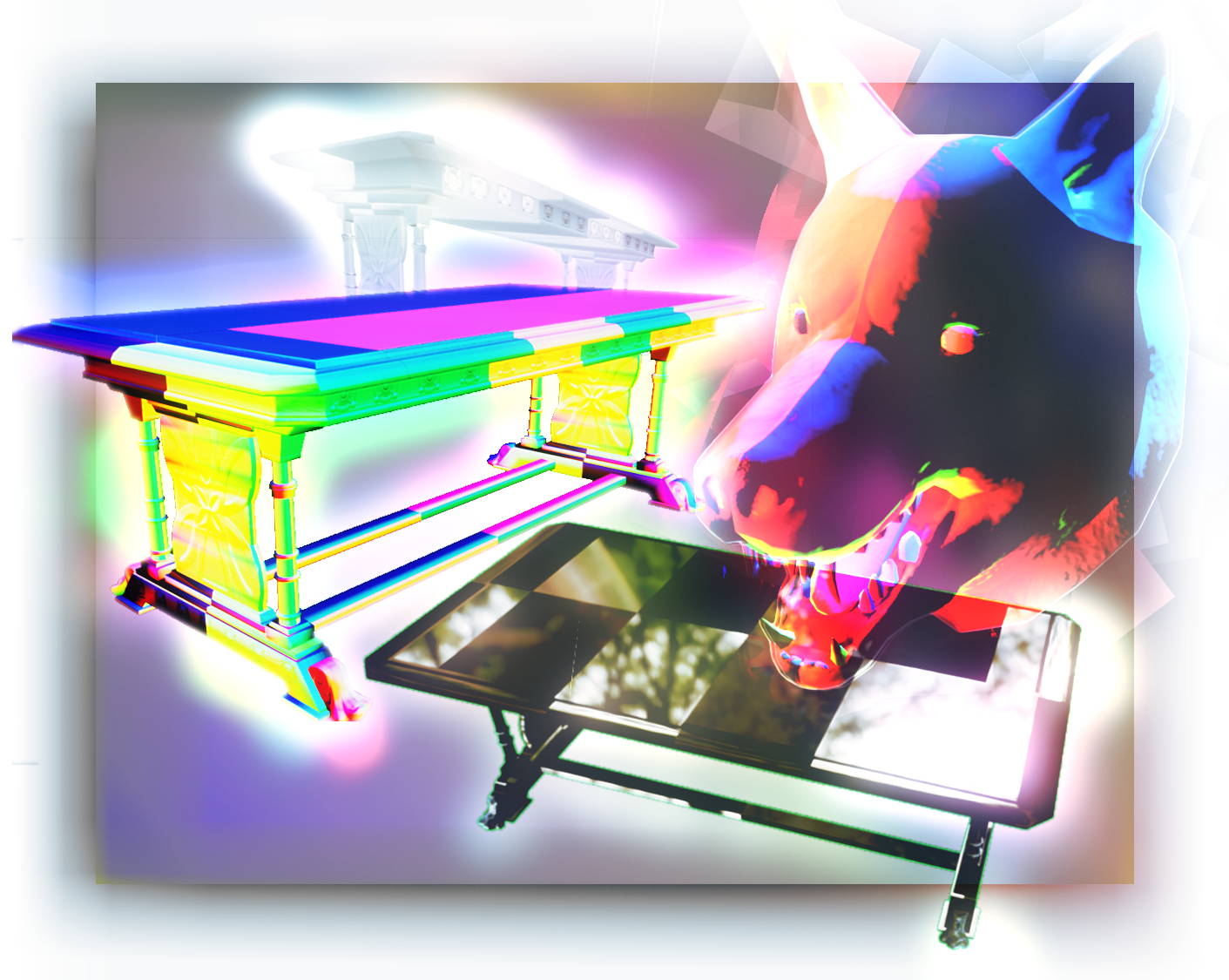
<p>-Harpoon</p>]]></content><author><name>harpoonLobotomy</name></author><category term="materials" /><summary type="html"><![CDATA[[Actually posted 25/7/25; I spent a bit longer making more complex scripts for this branch of the project.)]]></summary></entry><entry><title type="html">Virtual Texture Normals - fixed!</title><link href="https://harpoonlobotomy.github.io/materials/2025/06/30/virtual_texture_normals_fixed.html" rel="alternate" type="text/html" title="Virtual Texture Normals - fixed!" /><published>2025-06-30T00:00:00+00:00</published><updated>2025-06-30T00:00:00+00:00</updated><id>https://harpoonlobotomy.github.io/materials/2025/06/30/virtual_texture_normals_fixed</id><content type="html" xml:base="https://harpoonlobotomy.github.io/materials/2025/06/30/virtual_texture_normals_fixed.html"><![CDATA[<p>Chances are if you’re reading this, you probably want to know how to stop your Virtual Texture normals looking like this:</p>

<p align="center">
  <img src="/assets/images/bad-normals.jpg" alt="A collage of images of assets with very badly behaved normals." />
</p>

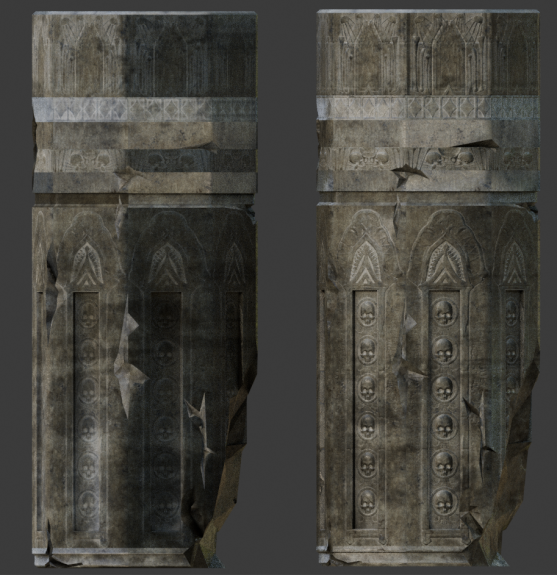
<p>Okay so that’s more of an interpretation of how it felt trying to get the normals to work; but for an actual example:</p>

<p align="center">
  <img src="/assets/images/before_and_after_pillars.webp" alt="Two carved pillars, the one on the left has bad normals, the one on the right looks quite nice." />
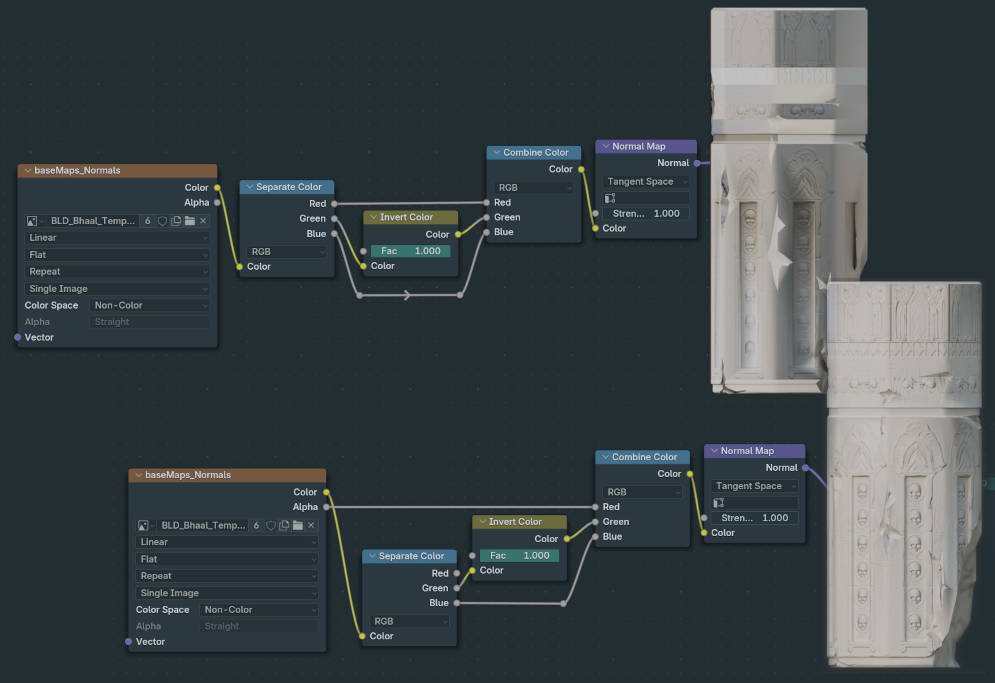
</p>

<p>The one on the left uses the standard ‘invert green’ normal setup. The one on the right:</p>

<p>Separate the Color output of the Normal image texture; invert green as usual, connecting it to the Green of a Combine Colour node.
Connect the Blue to the Blue.
Now connect the Alpha of the Normal image texture to the Red of Combine Color.</p>

<p align="center">
  <img src="/assets/images/uncoloured_pillar_comparison.jpg" alt="Two carved pillars without colour applied, next to their respective Normal node trees. The one on the top/left has bad normals, the one on the bottom/right looks quite nice." />
</p>

<p>I’ll put a nodegroup up here later on once I’ve figured out the best way to share them; maybe just a .blend once I’ve gotten a nice little hoard of fix-groups like this.</p>

<p>Hope this is helpful to someone out here.</p>

<p>-Harpoon</p>]]></content><author><name>harpoonLobotomy</name></author><category term="Materials" /><summary type="html"><![CDATA[Chances are if you’re reading this, you probably want to know how to stop your Virtual Texture normals looking like this:]]></summary></entry></feed>